
Development
Front End Development Course in Pune
HTML, CSS and JavaScript to React: build interfaces that look right on every screen.
- Level
- Beginner
- Prepares for
- Job-ready skills
Design
This UI/UX design course in Pune teaches you to design digital products people find easy to use: user research, information architecture, wireframes, Figma prototypes, visual design and usability testing, plus an overview of generative AI. It's for beginners, graphic designers and developers who want a design role and real case studies.
 Build real-world UI/UX skills that move your career forward
 Learn UI/UX design hands-on with feedback from working designers
 Design engaging, user-centred products with skills employers look for

11 modules, from fundamentals to job-ready practice.
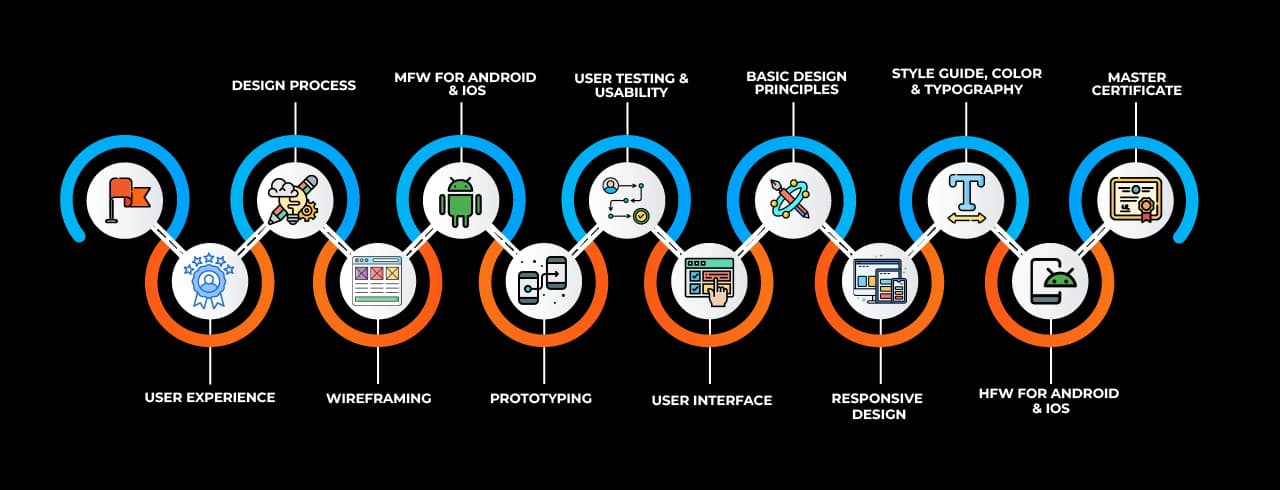
 Wireframing & PrototypingCreating low- and high-fidelity designs using tools like Figma, Adobe XD, Sketch, Balsamiq, Miro, and Material Design. Sketching Layouts and Flow Diagrams – Hand-drawing initial design concepts and user flows to map out interactions.
 Visual DesignCrafting aesthetically pleasing and functional designs using typography, color theory, and branding principles.
 User ResearchUnderstanding user needs, behaviors, and pain points through qualitative and quantitative research methods.
 Usability TestingEvaluating designs through user feedback and testing to improve usability and experience.
 Responsive DesignEnsuring designs adapt seamlessly across various screen sizes and devices
 Sketching LayoutsA vector-based design tool popular for UI/UX design, known for its simplicity, plugins, and smooth workflow for macOS users.
 Interaction DesignDesigning interactive elements and micro-interactions to enhance user engagement.
 Information ArchitectureStructuring and organizing content for intuitive navigation and usability.
 Collaboration & SharingSharing reports, dashboards, and insights with stakeholders.

Design a grocery shopping app with clear categories, smart search filters, personal recommendations, live stock status and a smooth checkout.

Design a beauty and skincare store with product reviews, a virtual try-on, tailored recommendations, loyalty rewards and secure checkout.

Design a fresh-produce delivery app with smart suggestions, voice search, scheduled delivery slots and real-time order tracking.
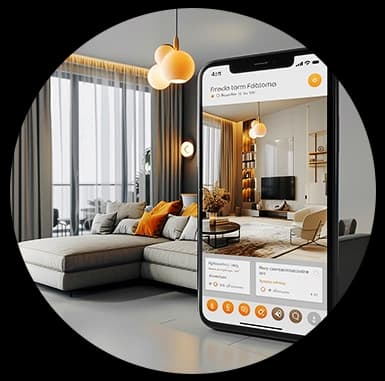
Design a furniture shopping app with 3D product views and AR placement, so customers can see a piece in their room before buying.

Design an online plant nursery with detailed plant pages, climate filters, care tips, a community forum and doorstep delivery.
{ "color": { "primary": { "value": "#2563EB" }, "primary-hover": { "value": "#1D4ED8" }, "on-primary": { "value": "#FFFFFF" } }, "radius": { "button": { "value": "8px" } }, "space": { "button-x": { "value": "20px" }, "button-y": { "value": "12px" } }, "font": { "button": { "value": "600 16px/24px Inter" } }}Default: #2563EB fill, white 16px semibold labelHover: fill darkens to #1D4ED8Padding 12px × 20px, 8px rounded cornersText contrast about 5.2:1 — passes WCAG AASame tokens drive Figma and the CSS, so nothing driftsFinish at least two end-to-end projects, from research to a tested prototype — hiring managers judge designers on case studies first.
Put your case studies on a portfolio site or a well-organised Behance or Notion page, with your process shown, not just final screens.
If you want an extra credential, options like the Google UX Design Professional Certificate on Coursera are run independently and are not required.
UI/UX design is about more than learning interface rules; it is about creating digital products from the first idea onwards. Our course starts with the fundamentals of visual design and builds towards complex interfaces that solve real user problems. Instead of jumping straight into software, you follow the way designers actually work: observe users, sketch ideas, build wireframes and finish with high-fidelity interactive prototypes you can test.
You will spend far more time refining screens than listening to theory. Sessions run like a design studio, so you move through the whole design process the way a product team does.
The syllabus rests on four pillars that make you confident in UI/UX by the end of the course.
A good UI/UX course changes how you see products. Within a few weeks, design stops being about making things look nice and becomes a disciplined way to make products usable, accessible and intuitive for the people who rely on them every day.
You learn from designers who work in the industry. Alongside the techniques, they share how real design teams operate and the shortcuts that save time on live projects. Feedback sessions are supportive rather than intimidating, so critique becomes the fastest way to improve.
We keep the course flexible and focused on your career:
As more businesses go digital, fintech, healthcare, e-commerce, ed-tech, SaaS and marketing agencies are all paying close attention to user experience, and they hire designers who can improve it.
Employers look less at the list of tools you know and more at evidence: case studies that show how you understood a problem and designed a complete solution for it.
After the course you can apply for roles such as:
Many learners have jobs or a busy college timetable, so the online course keeps the same depth as the classroom. Classes are live and led by experienced designers, not a playlist of recorded videos, so you can ask questions and get answers as you work.
The online class works like a virtual design studio: you share a design and get feedback from mentors and classmates within minutes. All you need is a stable internet connection.
Online learners get:
Design thinking now needs to reach whole product teams, not just designers. We train product managers, developers and business analysts at companies, start-ups and agencies to build user-centred products, which saves engineering rework and leads to more intuitive launches.
Each programme is shaped around the company's own products, style guides and goals, so teams apply what they learn directly to the bottlenecks affecting their work.
The corporate programme is built for technology companies and start-ups that want design skills to improve business results.
The course takes complete beginners to their first step on the design career ladder. What you need is genuine curiosity about how people behave and the persistence to work through design problems. Whether you come from engineering, the arts or a non-technical role, you can learn to design products that make people's lives easier.
The foundation module introduces the core tools alongside design thinking, and explains ideas like spatial hierarchy, typography and cognitive load in plain, practical terms.
The course suits learners from many backgrounds:
We review our teaching methods, syllabus and career support regularly so the course keeps pace with changing design standards. The aim is a stable, consistent learning experience that respects the time and money you put into it, with clear information from the start.
We run the course like a design studio rather than a lecture hall, with accountability on both sides: from us and from you.
In practice, that means:
Many products today are built on data platforms and AI features, and designers increasingly shape how people interact with them, from analytics dashboards to smart recommendations and chat assistants.
Understanding the technology behind these products helps you design interfaces that are realistic to build and genuinely useful.
Areas where UI/UX design meets other skills include:
Common questions
Q1. Who can join the UI/UX design course?
Anyone with an interest in design: students, fresh graduates, working professionals and people with no design experience at all.
Q2. What will I learn?
User research, wireframing, prototyping, visual design, responsive design and design thinking, using the tools design teams rely on.
Q3. Do I need to know coding?
No. The course focuses on design concepts, user experience, interface design and design tools, not programming.
Q4. What jobs can I apply for afterwards?
Roles such as UI Designer, UX Designer, Product Designer, Interaction Designer and UX Researcher.
Q5. How long does the course take?
It depends on the programme you choose. Throughout, you complete assignments and real projects so the concepts stick. Ask us for the current batch schedule.
No, coding isn't required for most UI/UX roles. That said, understanding basic HTML and CSS helps you design things that are realistic to build and makes handoff with developers much smoother, which is why the course includes a short module on it.
Yes. Many working UX designers came from engineering, commerce, psychology or arts backgrounds. Employers hire on the strength of your portfolio and how clearly you explain your design decisions.
Yes, but the job is shifting toward thinking, not just drawing screens. AI can generate layouts quickly, yet someone still has to understand users, choose the right problem and test whether a design works. The course focuses on exactly those skills.
Figma is the industry-standard tool, but the tool alone won't get you hired. Employers look for research, problem framing, usability testing and clear case studies — Figma is simply where you show that work.
Two or three detailed case studies are better than ten unfinished screens. Each should show the problem, your research, the options you explored, test results and what you changed because of them.
Yes — portfolio reviews, case study presentation practice and mock design interviews are part of placement support. We don't guarantee a job, but we help you present your work the way hiring managers expect.
Start dates and timings are planned per intake. Use the enquiry form or call us for the latest schedule and fees.
HTML, CSS and JavaScript to React: build interfaces that look right on every screen.
Front end, server, database and deployment: build and ship complete web applications, step by step.
Page last reviewed on .